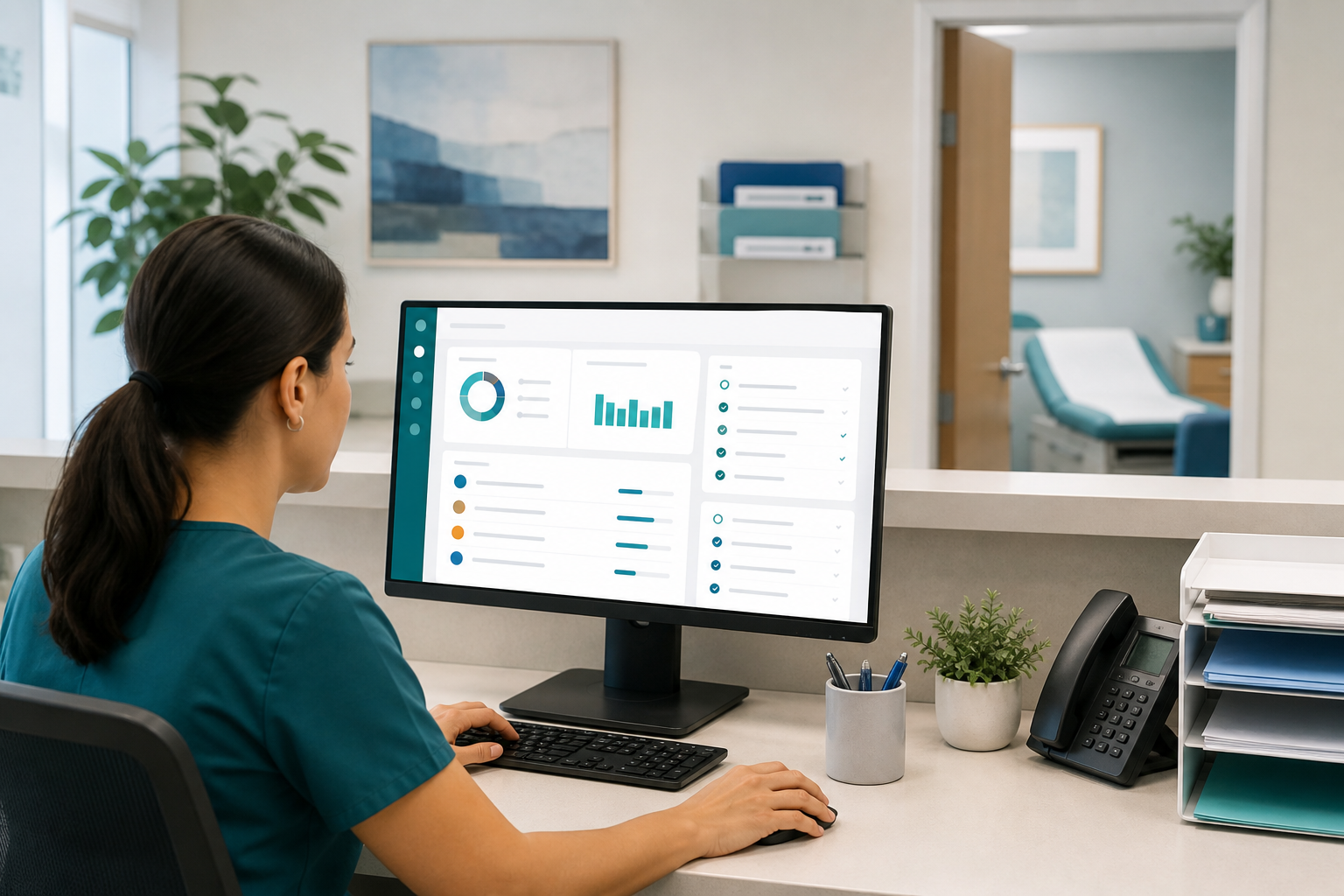
For many independent practices, the weak point in communication is not receiving messages. It is the patient message handoff between the portal, the front desk, the phones, and the clinical team. A patient sends a portal note about medication side effects, then calls two hours later because they are worried. The front desk logs a phone note, a medical assistant sees only one channel, and everyone assumes someone else handled it. Without a clear workflow, requests get duplicated, delayed, or missed entirely.
The good news is that this problem is fixable. Small practices do not need a giant call center or a complex enterprise system to create dependable message routing. They need a simple, documented process for intake, triage, ownership, escalation, and closure across every communication channel. When that workflow is consistent, staff spend less time searching, clinicians see the right messages sooner, and patients get more confident that their concerns are being handled.
Why portal-to-phone handoffs break down in small practice operations
Most missed requests happen for predictable reasons. In small practice operations, staff are often multitasking between check-in, referrals, prior authorizations, voicemail, and portal inboxes. If the process depends on memory or verbal updates, handoffs become fragile.
- Two inboxes, two habits: Portal messages and phone notes may live in different places, with different staff checking them at different times.
- No single owner: A message can be seen by multiple people without anyone being accountable for next action.
- Unclear triage rules: Staff may not know whether a message is administrative, clinical, urgent, or routine.
- Duplicate patient contact: Patients often switch channels when they do not get a quick response, creating parallel threads.
- Weak closure steps: A message may be answered verbally but never documented as resolved in the original thread.
That combination creates risk for patient experience, staff burnout, and documentation quality. It also makes it harder to maintain operational consistency and compliance expectations around timely communication and privacy. Resources from organizations such as HealthIT.gov and HHS.gov reinforce the importance of secure communication, role-based workflows, and clear handling of patient information.
The core principle: one workflow across all channels
The most effective portal message routing process starts with a mindset shift: staff should not manage portal messages and phone messages as separate jobs. They should manage patient requests that happen to arrive through different channels.
That means every request should move through the same five-stage workflow:
- Capture the message in the system of record.
- Triage based on type and urgency.
- Assign a single owner for next action.
- Resolve with documented action or response.
- Close the loop in every channel the patient used.
If your software supports shared inboxes, tasks, status tracking, and internal routing, this becomes much easier. Practices looking to simplify communication and follow-through often start by standardizing these workflows inside their medical practice management software rather than relying on sticky notes, hallway updates, or disconnected spreadsheets.
Build a practical patient message handoff workflow
Below is a workflow designed for small practices that need something realistic, trainable, and easy to audit.
1. Capture every message in one documented queue
The first rule is simple: if it is not documented, it does not exist operationally. Whether a patient starts in the portal or by phone, the request should end up in one primary message queue or task list inside your system.
For example:
- Portal messages automatically land in a shared inbox.
- Phone calls and voicemails are converted into structured message notes in that same work queue.
- Staff avoid writing temporary notes on paper or in personal notebooks.
If a patient contacts the office through a second channel about the same issue, staff should link the new contact to the original request rather than creating a separate standalone thread when possible. Even if your system cannot technically merge items, your staff can note clearly: “Patient called regarding portal message sent this morning about rash after starting medication.”
2. Use standard message categories
Message triage gets easier when everyone uses the same categories. Keep them broad enough to be practical and specific enough to guide next steps.
Common categories include:
- Administrative: scheduling, insurance, billing, forms, referrals status
- Clinical routine: medication refill requests, stable symptom questions, test result follow-up
- Clinical urgent: worsening symptoms, possible medication reactions, post-procedure concerns
- Prescription/refill: refill requests that follow a distinct refill protocol
- Records/forms: work notes, school forms, medical records requests
These categories should appear in both portal message routing and phone message workflow documentation so the front desk and clinical staff speak the same operational language.
3. Define urgency with scripts, not guesswork
Front desk communication is often where risk begins, because non-clinical staff may be the first to hear concerning information. They should not be expected to make clinical judgments, but they do need simple escalation scripts.
Create a short triage guide that tells staff what to do when a patient reports:
- chest pain, trouble breathing, stroke-like symptoms, or severe bleeding
- allergic reactions or significant medication side effects
- severe pain, rapidly worsening symptoms, or fever after a procedure
- mental health safety concerns
In true emergencies, your script should direct the patient to call 911 or go to the emergency department immediately, while staff document the interaction according to practice policy. Guidance from the AMA can support practices working to standardize communication protocols and team roles.
Operational tip: Give staff exact language for urgent situations. Scripts reduce hesitation and help teams stay consistent under pressure.
4. Assign one owner for next action
Every request needs an owner, even if several people will touch it. The owner is the person responsible for moving the message forward and making sure it does not stall.
Ownership might look like this:
- Front desk: administrative requests, appointment changes, insurance questions
- Medical assistant or nurse: initial clinical intake, refill protocol review, routing to provider
- Provider: decisions that require clinical judgment
- Billing or referral coordinator: specialized non-clinical follow-up
The key is that ownership should be visible in the task or message itself. “Sent to clinical” is not enough. “Assigned to MA Jane for refill protocol review by 2 p.m.” is far more reliable.
5. Set response-time targets by message type
Not every message should be answered in the same timeframe. But every category should have a target so staff know what “on time” means.
A small practice might set targets such as:
- Administrative requests: same business day or within 1 business day
- Routine clinical questions: within 1 business day
- Refill requests: same day if received before cutoff, otherwise next business day
- Urgent clinical concerns: immediate nurse review or same-hour escalation based on policy
Publish these targets internally, and communicate realistic patient expectations in the portal and phone greeting. Patients are less likely to send duplicate messages when they know what response window to expect.
6. Close the loop in both channels
This is the step practices most often miss. If the patient sent a portal message and later called, your team should not mark the issue complete after only one response unless it is clear the patient received the answer.
A closed-loop process means:
- the action taken is documented
- the patient is contacted through the appropriate channel
- the original message thread is updated or referenced
- the item is marked resolved only after follow-through is complete
For example, if the nurse calls the patient with instructions, the portal thread can be updated to reflect that the patient was reached by phone and advised. This reduces confusion if the patient messages again or another staff member reviews the chart later.
Sample phone message workflow for the front desk
Your front desk team needs a repeatable process they can use even on busy days. A simple phone message workflow might look like this:
- Verify identity using your standard patient verification process.
- Check for existing same-day messages in the chart or inbox before creating a new note.
- Document the reason for contact using a structured template.
- Categorize the request as administrative, refill, routine clinical, or urgent.
- Apply the escalation script if urgent symptoms are mentioned.
- Assign the message to the correct owner with due time.
- Tell the patient what happens next and expected response timing.
- Update the original thread if the patient already contacted the office through the portal.
That process becomes easier when teams work from one centralized platform rather than juggling separate phone logs and portal views. A unified system can improve front desk communication and reduce manual follow-up, which is one reason many practices reevaluate how they handle messaging as they grow. For a broader look at how an integrated platform supports daily operations, visit MediCore’s overview page.
Create templates that improve consistency without sounding robotic
Templates are one of the simplest ways to reduce dropped handoffs. They help staff capture the right details quickly and make routing more accurate.
Recommended intake fields for all messages
- date and time received
- channel received: portal, live call, voicemail
- reason for message in patient’s words
- message category
- urgency flag
- owner assigned
- deadline or response target
- related prior message or duplicate contact noted
Useful staff response templates
Examples include:
- Acknowledgment: “We received your message and routed it to the appropriate team member.”
- Expectation-setting: “Routine clinical messages are typically answered within one business day.”
- Duplicate-channel note: “Patient also called regarding same concern; linked to portal message sent at 9:12 a.m.”
- Closure note: “Patient reached by phone, instructions reviewed, no further questions, message resolved.”
Good templates standardize the workflow while still leaving room for staff to personalize communication.
Assign roles clearly so handoffs are not informal
A message workflow breaks down when staff rely on verbal updates like “I told someone” or “the nurse knows.” Formal routing beats informal awareness every time.
Front desk
- capture incoming phone requests accurately
- identify duplicate contacts across channels
- use triage scripts for urgent red flags
- route non-clinical items directly when appropriate
Clinical support staff
- review clinical queues at defined intervals
- screen refill and symptom messages according to protocol
- escalate provider decisions promptly
- document attempted and completed callbacks
Providers
- respond to decision-dependent messages
- clarify what can be handled by standing protocol
- support realistic turnaround standards
Practice manager
- audit unresolved messages
- monitor backlog by category
- train new hires on the workflow
- refine policies when recurring failure points appear
If your current software makes role-based routing difficult, it may be time to compare whether a lighter, small-practice-focused system would better fit your workflow. Practices evaluating options can review MediCore vs. athenahealth to see how an independent-practice approach differs.
Metrics that help you find handoff failures early
You do not need a complex analytics department to improve messaging. Start by tracking a few practical indicators every week or month.
- Messages older than target response time
- Number of duplicate contacts for the same issue
- Voicemails not documented in the system
- Portal messages reassigned multiple times
- Percentage of messages with documented closure
When these numbers are reviewed regularly, workflow problems become visible. For example, a high duplicate-contact rate may mean patients are not getting acknowledgment quickly enough. A high reassignment rate may mean your categories are too vague or staff are unclear about ownership.
Common mistakes to avoid
Even well-meaning teams can create unnecessary risk if the workflow is not explicit. Watch for these common issues:
- Checking the portal only at certain times of day without backup coverage
- Letting voicemail sit outside the main message queue
- Creating a new note for every contact without connecting related requests
- Routing everything to the provider instead of using standing protocols and role-based triage
- Closing a task after leaving one voicemail without documenting next steps
- Relying on staff memory for unresolved requests at shift change
The fix is usually not “work harder.” It is standardizing the process so fewer decisions are left to chance.
How to roll out the workflow in a small practice
Implementation does not need to be complicated. In fact, the simpler the rollout, the better the adoption.
- Map your current state. Follow three recent patient requests from start to finish and identify where handoffs failed.
- Choose your standard categories and urgency rules. Keep them simple enough for every staff member to remember.
- Build templates and scripts. Make the easiest path the correct path.
- Train by role. Front desk, clinical staff, and providers need different examples.
- Start with one shared queue and one owner rule. Avoid overengineering.
- Review unresolved items daily for the first month. Tight feedback loops matter early.
Practices often find that workflow improvement goes hand in hand with better technology support. If you are redesigning message routing and want software built for smaller teams, you can explore features, workflows, and pricing from MediCore at plans and pricing.
Conclusion: make every patient message handoff visible and accountable
A strong patient message handoff process is not just about inbox organization. It is about making sure every patient request has a clear path from intake to resolution, whether it starts in the portal, on the phone, or in both places. When portal message routing, message triage, and front desk communication all follow the same workflow, fewer requests get lost and your team can respond with more consistency and confidence.
If your practice is ready to simplify message management and build a more reliable workflow, start a 14-day free trial or contact the MediCore team to see how a small-practice-focused platform can support better handoffs across portal and phone communication.
Frequently asked questions
What is a patient message handoff?+
A patient message handoff is the transfer of responsibility for a patient request from one person, team, or channel to another. In practice, it often happens when a portal message becomes a phone call, or when the front desk routes a request to clinical staff. A good handoff process makes ownership, urgency, and next steps visible so nothing gets lost.
How can a small practice reduce duplicate portal and phone messages?+
Start by acknowledging receipt quickly and giving patients clear response-time expectations. Train staff to check for same-day messages before creating a new note, and link follow-up calls to the original issue whenever possible. This keeps the chart cleaner and prevents multiple team members from working the same request separately.
Who should own portal message routing in a medical office?+
Ownership should depend on the message type, but every request needs one clearly assigned next-step owner. Administrative items may stay with the front desk, while clinical questions often move to a medical assistant, nurse, or provider based on protocol. The important part is that ownership is explicit in the system rather than assumed verbally.
What should front desk staff do if a patient reports urgent symptoms by phone?+
Front desk staff should follow a written escalation script rather than trying to make independent clinical judgments. The script should define emergency red flags, when to transfer or alert clinical staff immediately, and when to direct the patient to emergency services based on practice policy. Staff should also document the interaction promptly in the patient record.
How fast should practices respond to portal and phone messages?+
Response times vary by message type, but practices should set internal targets for each category. Routine administrative and clinical requests are commonly addressed within one business day, while urgent concerns should be escalated immediately according to office policy. Publishing those expectations internally and communicating them to patients helps reduce confusion and repeat contacts.
What technology features help with phone message workflow and portal communication?+
Small practices usually benefit from a shared inbox or centralized queue, role-based routing, task ownership, message status tracking, and templates for documentation. It also helps when staff can see related contacts in one place instead of searching separate tools. The goal is to support one workflow across channels, not maintain isolated communication silos.